

Are you tired of the time-consuming and expensive process of recording videos? For many creators, the idea of setting up a camera, adjusting lighting, and recording takes a significant amount of time. Not to mention, those who are camera-shy or lack a studio setup may feel hesitant about producing video content. But what if there was a way to create high-quality videos without the need for any of these resources?
Enter AI avatars. With the power of AI, you can now generate professional videos in minutes — no camera, no studio, no hassle. By the end of this post, you’ll learn how to use an AI avatar to create engaging videos that boost your content production.
In this tutorial, we’ll show you how to create an AI avatar using Invideo AI — an easy-to-use platform that simplifies the process of generating personalized avatar videos.
What Is an AI Avatar?
An AI avatar is a digital representation of a person, created using artificial intelligence, that can speak and interact with your content. AI avatars work by converting text prompts into dynamic videos, synchronized with voice synthesis and lip-syncing technology. These avatars can be completely customized to match your needs.
There are two types of AI avatars:
- Stock AI Avatars: These are pre-built personas, ready to use for video creation. They come in various genders, styles, and ethnicities.
- Custom AI Avatars: These avatars can be trained to resemble your own likeness. This option is great for personal branding or creating videos with a more human touch.
AI avatars are perfect for multiple use cases such as marketing, e-learning, social media content, and corporate training. They’re versatile and can bring a human-like presence to your videos, all without the need for a physical actor.
Why Use an AI Avatar Instead of Recording Yourself?
Creating videos with AI avatars offers several key benefits:
- No camera or studio required: Skip the complex setup and focus on your content.
- Save time: Recording and editing yourself can take hours. With AI avatars, the entire process is streamlined.
- Consistency: You can use the same avatar across multiple videos to maintain a consistent, on-brand presenter.
- Multilingual capabilities: One avatar can speak in different languages, broadening your reach without needing to record new videos.
- Scale production: With an AI avatar, you can produce multiple videos in no time, without hiring actors or presenters.
AI avatars offer an efficient and cost-effective way to create videos at scale.
What You Need Before You Start
Before diving into the world of AI avatars, you’ll need:
- A written script (or a topic idea)
- Access to an AI avatar tool (like Invideo AI)
- Optional: brand colors, logos, and preferred avatar styles
Once you’ve gathered these, you’ll be ready to create professional AI avatar videos in minutes.
How to Create a Professional AI Avatar Video – Step by Step
Creating a professional AI avatar video is a breeze with Invideo AI. Follow these simple steps:
Step 1: Go to Invideo AI and Sign Up / Log In
Start by signing up or logging into your Invideo AI account.
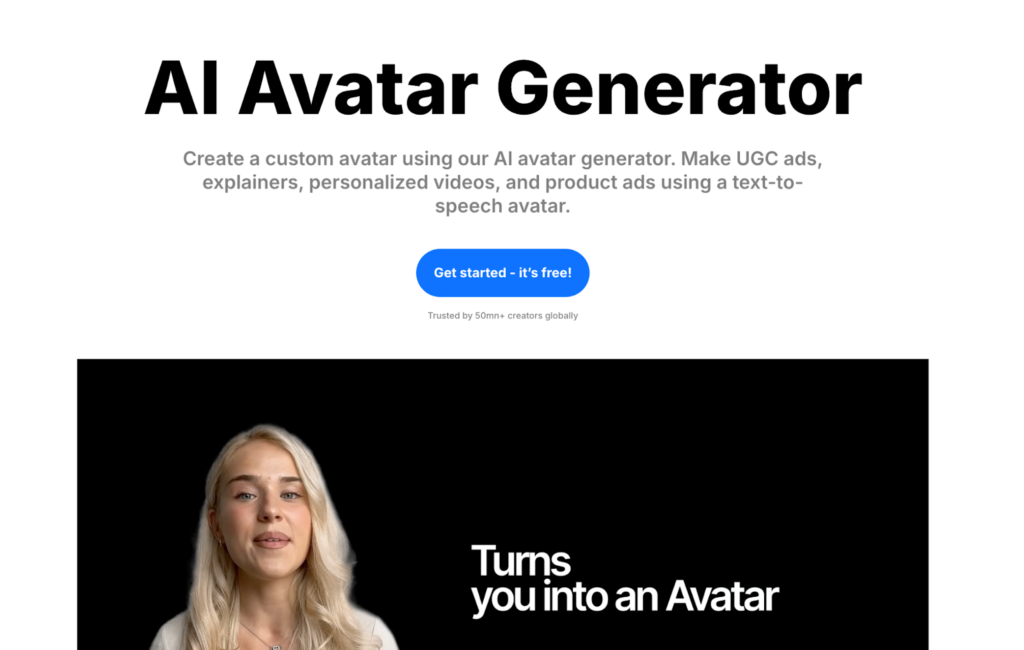
Step 2: Choose the “AI Avatar Video” Feature
Once logged in, select the AI Avatar Video feature from the dashboard.
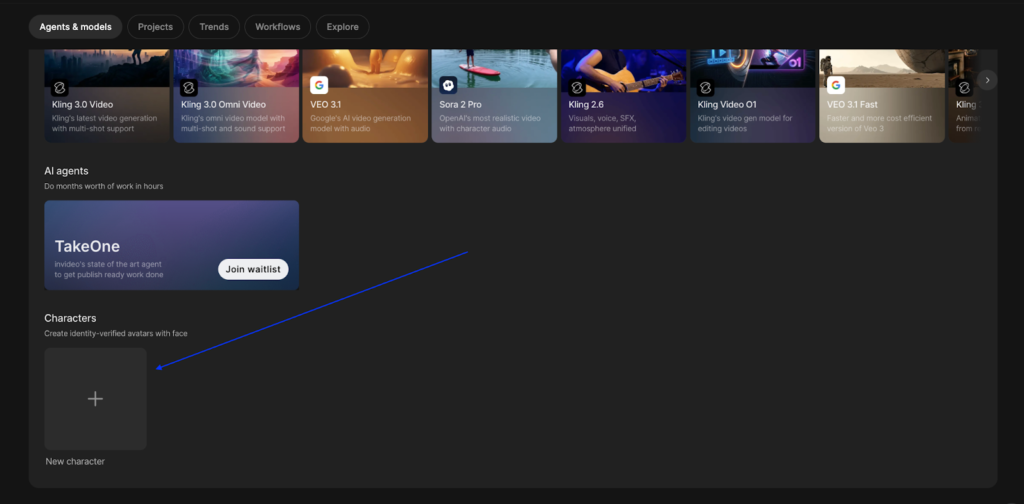
Step 3: Customize Your AI Avatar
You can also upload an multiple image or record yourself to create a custom avatar that resembles your likeness.
Step 4: Write or Paste Your Script
Simply type in or paste your script. For the most natural-sounding results, keep your sentences short and conversational.
Step 5: Select Voice, Language, and Accent
Choose the voice, language, and accent for your avatar. This gives you the flexibility to customize how your avatar communicates with your audience.
Step 6: Customize the Video
Enhance your video by adding B-roll, text overlays, and branding elements such as your logo or company colors.
Step 7: Preview and Export Your Video
Once your video is ready, preview it to ensure everything looks perfect. If satisfied, export your video and it’s ready to go live.
Tips for Making Your AI Avatar Video Look More Professional
Here are some tips to ensure your AI avatar video looks polished and professional:
- Write conversational scripts: Keep your tone friendly and engaging. Avoid robotic language.
- Match the avatar’s style to your brand: Choose a formal or casual avatar depending on your brand identity.
- Use background music: Add background music to give your video depth and personality.
- Add captions: This makes your videos more accessible and engaging.
- Keep videos short: For social media, aim to keep videos under 3 minutes.
- Consistency: Use the same avatar across all your videos for brand recognition.
Best Use Cases for AI Avatar Videos
AI avatar videos are incredibly versatile. Here are some of the best ways to use them:
- Marketing & Ads: Create product explainers, promotional videos, and customer testimonials.
- E-learning & Training: Use avatars to present course content, onboarding tutorials, and training videos.
- Social Media Content: Perfect for YouTube, LinkedIn, Instagram Reels, and other social platforms.
- Internal Communications: Share company updates, HR announcements, and team messages with a personalized touch.
- Multilingual Content: Reach a global audience by creating one avatar that can speak multiple languages.
Frequently Asked Questions
Can I create my own custom AI avatar?
Yes, you can upload your own image to create a custom avatar that matches your likeness.
Are AI avatar videos detectable as AI-generated?
Not necessarily. Advanced AI avatars can appear highly realistic, making it difficult to distinguish from real human videos.
How realistic do AI avatars look?
The realism of an AI avatar depends on the quality of the avatar tool used. With Invideo AI, avatars look lifelike and professional.
Is Invideo AI free to use?
Invideo AI offers both free and paid plans. You can start creating with limited features on the free plan.
Can I use AI avatars for commercial purposes?
Yes, you can use AI avatars for commercial purposes, such as marketing and advertising, without any additional permissions.
Conclusion
Creating professional, engaging videos doesn’t have to be complicated or require expensive equipment. With AI avatars, anyone can produce high-quality content without stepping in front of a camera. As AI technology continues to evolve, avatars will play a key role in video content creation, helping businesses scale their video production with ease.
You May Also Read How to Get on First Page of Google

